Powered by EnergyPlus™

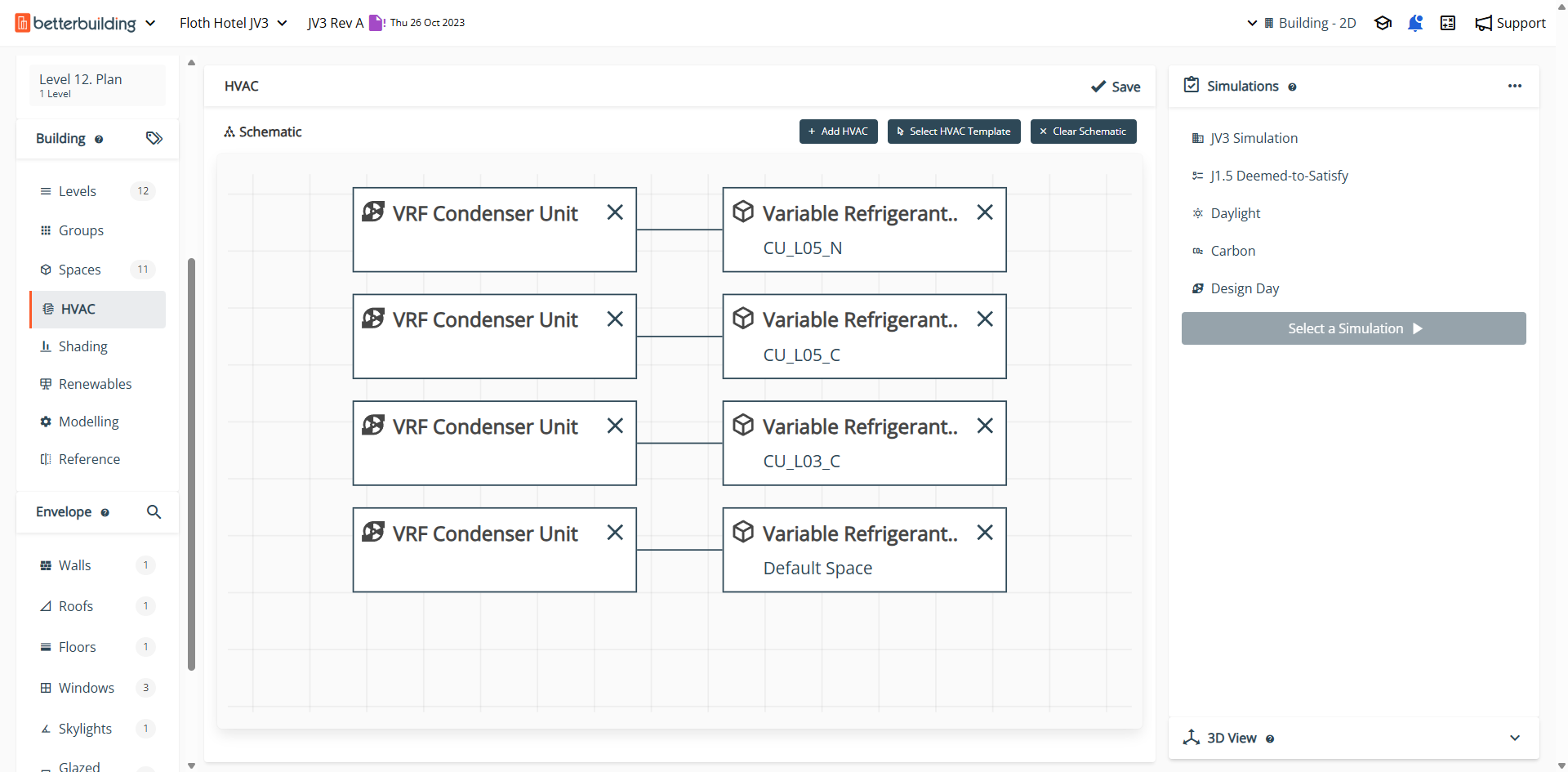
Advanced HVAC modelling for high-performance building systems

Design, simulate, and optimise complex HVAC systems with precision using our comprehensive tools.
Predefined templates for common HVAC configurations
Detailed component-level customisation
EnergyPlus™ integration for accurate simulations
Flexible system boundary definitions
User interface of Better Building software showing HVAC section with a schematic of a chilled water loop and options for cooling devices and pumps.
Build your first Flow in 10 minutes

Design day, zone loads, sizing and unmet hours, direct from your energy model

Better Building's Advanced HVAC workflows empower engineers and designers to model intricate HVAC systems efficiently. Utilising EnergyPlus™, it offers both predefined templates and detailed component-level customisation, accommodating a wide range of system types and configurations. Users can define system boundaries, adjust parameters, and simulate performance to ensure optimal design and operation.
3D red lowercase 'e' and blue plus sign with green swoosh encircling, representing EnergyPlus logo.
EnergyPlus™ Simulation Integration

All HVAC systems are natively compatible with EnergyPlus™, ensuring accurate performance modelling.

User interface showing a dropdown menu for selecting an HVAC template with options like Fan Coil Unit, Packaged Air Handling Unit, and Heat Recovery Ventilation in an HVAC software.
HVAC Template Library

Quickly assign predefined system templates such as Ideal Loads, VRF, or Packaged VAV to suit project requirements.

Software interface showing Fan Coil Unit settings with options for Low and Medium Speed Supply Air Flow Ratios and a Capacity Control Method dropdown menu.
Component-Level Customisation

Modify individual system components like coils, fans, and heat exchangers for detailed performance control.

Dialog box for selecting HVAC Template with options for Fan Coil Unit - Air Cooled and labeled spaces Default Space, Theatre or cinema, and Office.
Zone-Level HVAC Assignment

Assign HVAC systems on a zone-by-zone basis to reflect real operational strategies and zoning schemes.

HVAC system settings popup showing adjustable sliders for Variable Refrigerant Flow: Outdoor Air per Person set to 7.5 L/s, Supply Fan Total Efficiency at 55%, Supply Fan Delta Pressure at 150 Pa, and Supply Fan Motor Efficiency at 55%, with Cancel and Update buttons.
Flexible System Boundaries

Define mechanical zones, supply and return paths, and equipment boundaries to suit various system configurations.

Software interface showing HVAC availability schedule with options for weekend and other days, bulk update controls, and a time selection list with all hours set to off.
Load Profile Integration

Integrate heating, cooling, ventilation, and occupancy profiles to simulate dynamic loads over time.

Betterbuilding software interface showing HVAC Unmet Hours report for Echuca Cancer & Wellness Centre with tables of design day heating unmet hours and bar charts for summer and winter peak heating.
Unmet Hours

Spot comfort issues early with clear visualisations of unmet heating and cooling hours.

3D building model with zone load graphs displaying heating, cooling, lighting, and other energy metrics for a plant zone on Level 1, showing data for Design Day in a building fabric assessment dashboard.
Zone Loads

Understand demand patterns with detailed breakdowns of zone-level heating and cooling loads.

Dashboard of building simulation results showing bar charts for summer and winter peak cooling and heating loads in zones at Echuca Cancer & Wellness Centre.
Design Day Review

Quickly assess system sizing with easy-to-read outputs from critical design day simulations.

Let's get you going

14-day trial. It's free!

Every new user has the opportunity to kick off with a quick, 20-minute demo and a free 14-day trial, book it whenever works for you.

Book a Demo

Book a Demo

Or

Grab a 14-day Trial

Grab a 14-day trial
